
Case 1 — LSCD With a Tight Scleral Fit (OD)
This OD case was described by the clinician as limbal stem cell deficiency (LSCD) with a tight scleral lens fit. Visible conjunctival redness and limbal-adjacent vascular changes appear in a complex ocular surface—not a simple “fit accepted” presentation.
In LSCD, the limbal region is clinically sensitive. A tight fit may raise concern for haptic pressure, reduced tear exchange, or stress near the limbal zone. Documentation here is not only about central vault. Clinicians may also review limbal clearance, edge alignment, and conjunctival response when deciding whether the fit is protecting the ocular surface or adding mechanical stress.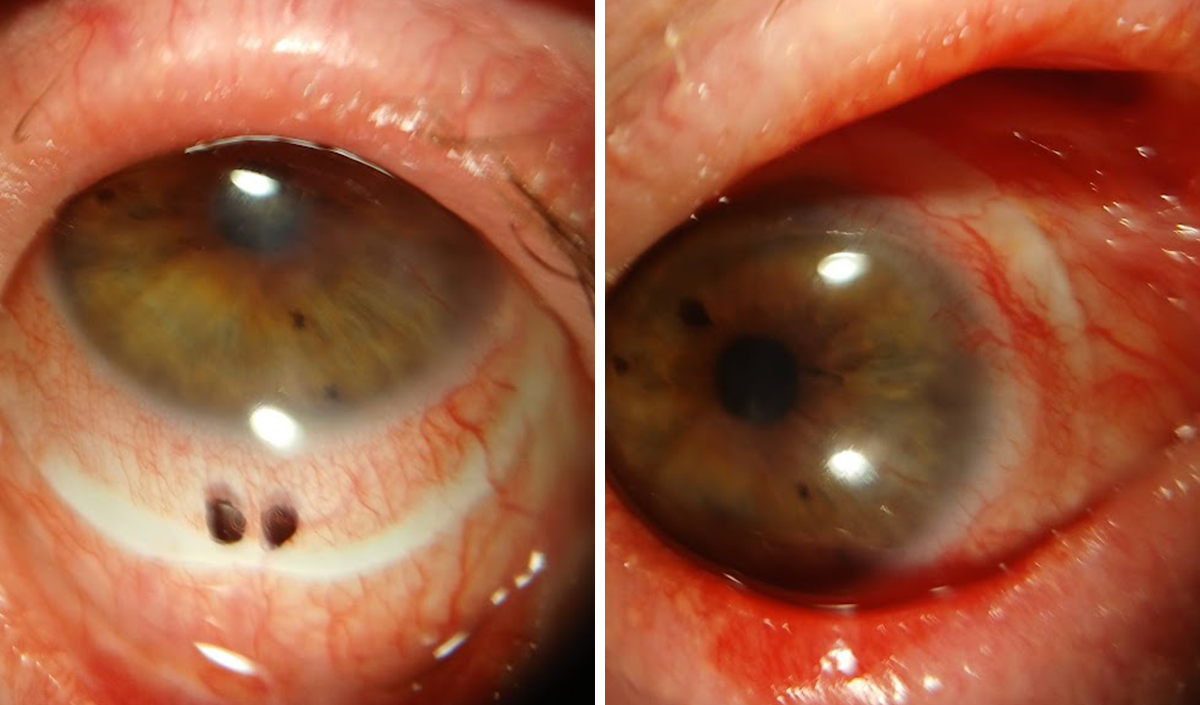
Case 2 — Keratoconus With a Scleral Lens (OD)
This OD case shows a clinician-described keratoconus patient wearing a scleral lens. The capture provides a clear anterior segment view for discussing lens centration, coverage over an irregular cornea, and limbal relationship.
Keratoconus fitting is highly individualized. A single image does not confirm the final fit. It can, however, help patients and trainees understand why irregular corneas often need specialty lens management, regular review, and parameter changes over time. Repeat captures may support comparison of lens position and ocular surface appearance across visits.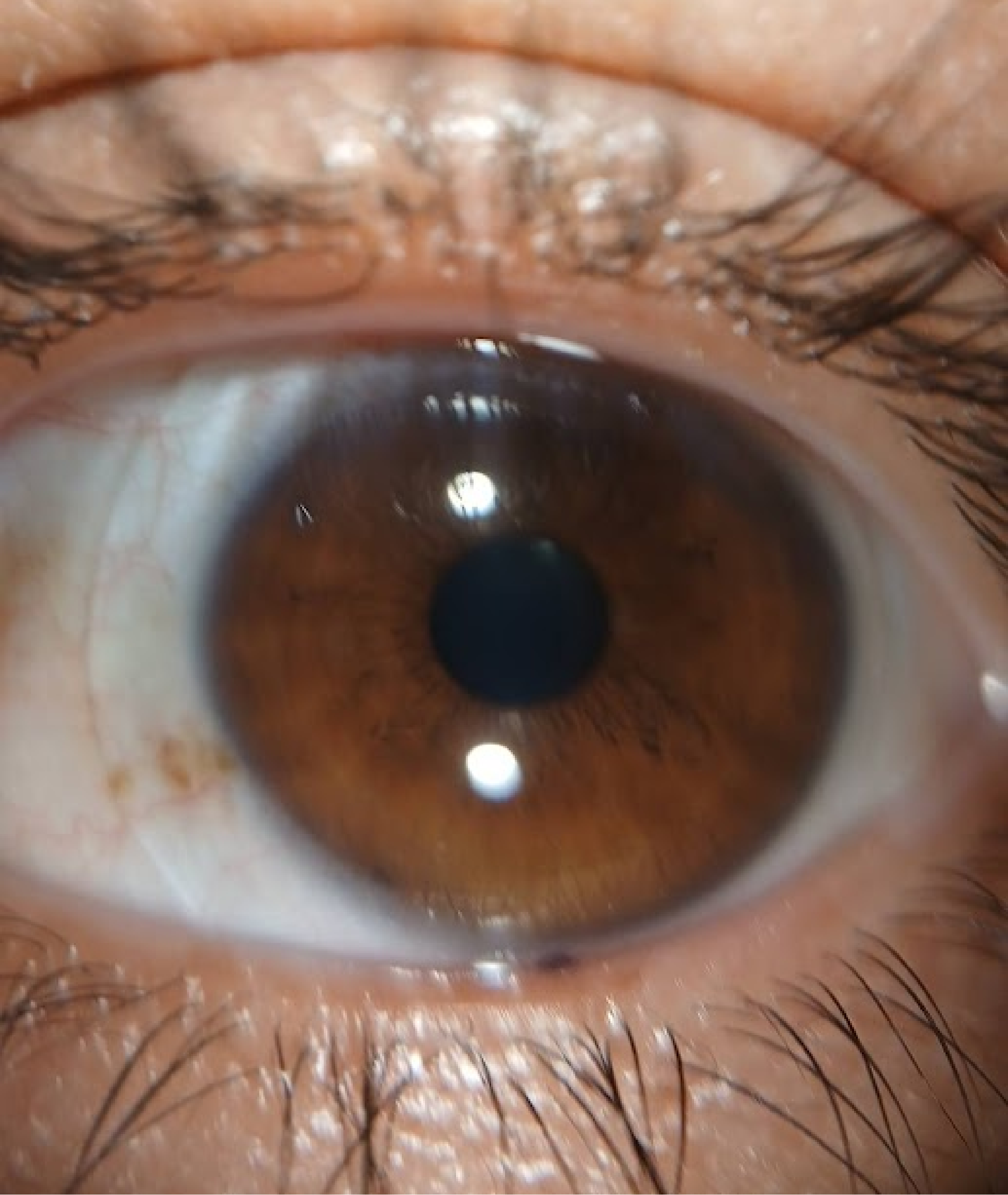
Case 3 — Post-PKP Corneal Graft With Fluorescein Fit Review (OS)
This OS case shows a penetrating keratoplasty (PKP) corneal graft patient wearing a scleral lens with fluorescein instilled. The image captures the graft–host junction, central donor tissue, fluorescein-filled vault, peripheral reservoir pattern, and small air bubbles visible within the dye field.
Post-graft fitting requires individualized assessment of vault, edge landing, fluorescein distribution, and any seal-related findings. Visible documentation may help clinicians explain the lens–graft relationship to patients and referring colleagues—and compare graft appearance and fluorescein pattern at follow-up. Bubbles in the fluorescein field are visible findings for clinical review, not automatic evidence of misfit without full context.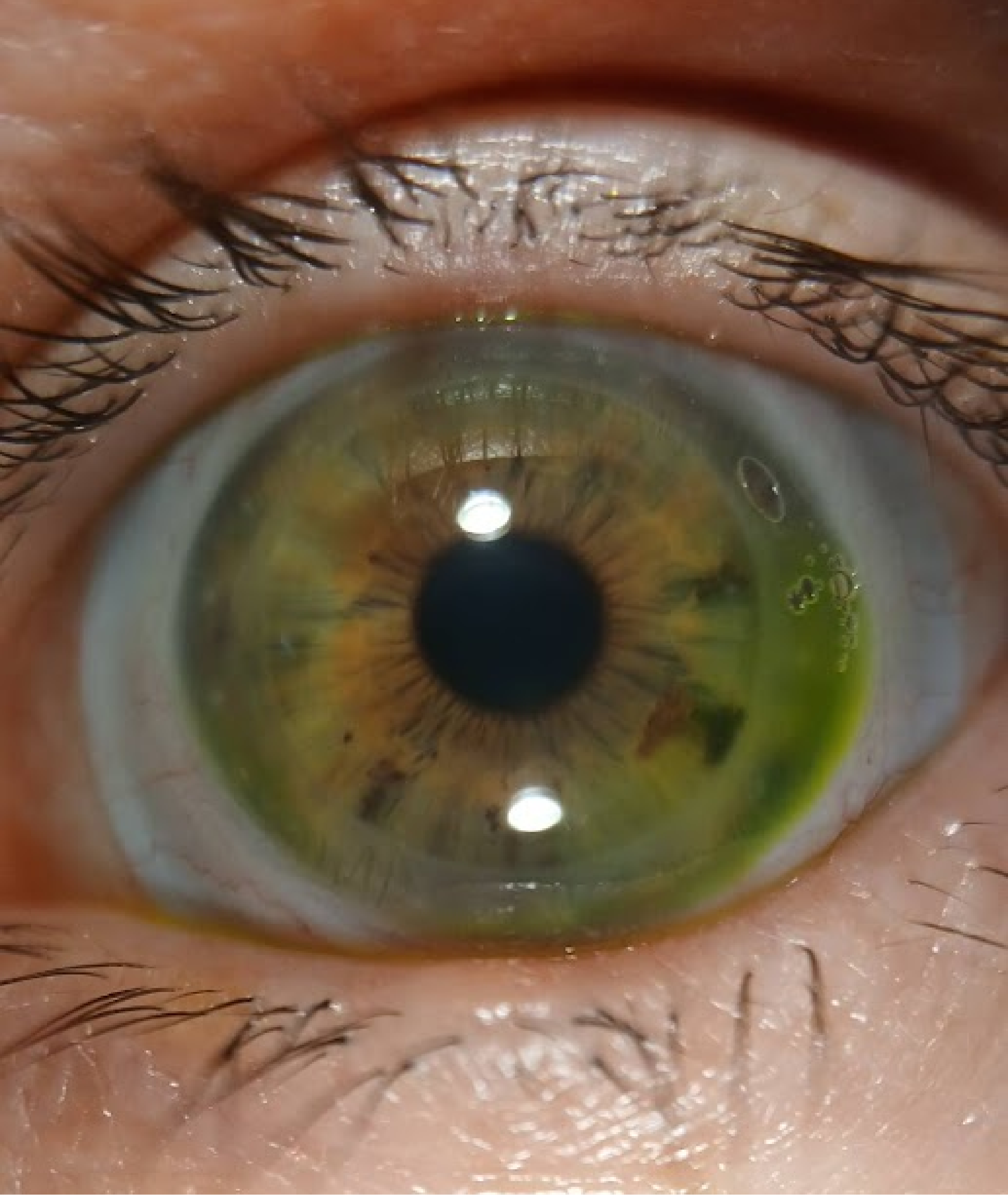
Case 4 — Post-PKP With a Fenestrated Scleral Lens and Visible Bubbles (OS)
This OS case shows a PKP corneal graft patient wearing a fenestrated scleral lens. Multiple air bubbles appear beneath the lens—including a large inferior bubble and smaller temporal and superior bubbles—alongside the graft–host junction and lens edge on the sclera.
Fenestrated designs include small openings intended to support oxygenated tear circulation in some fitting plans. Bubble formation may still be a visible finding worth documenting when it relates to application technique, vault dynamics, or patient-reported symptoms. Imaging may support bubble-management discussion: where bubbles sit, whether they change after reapplication, and how to explain careful fill technique to the patient.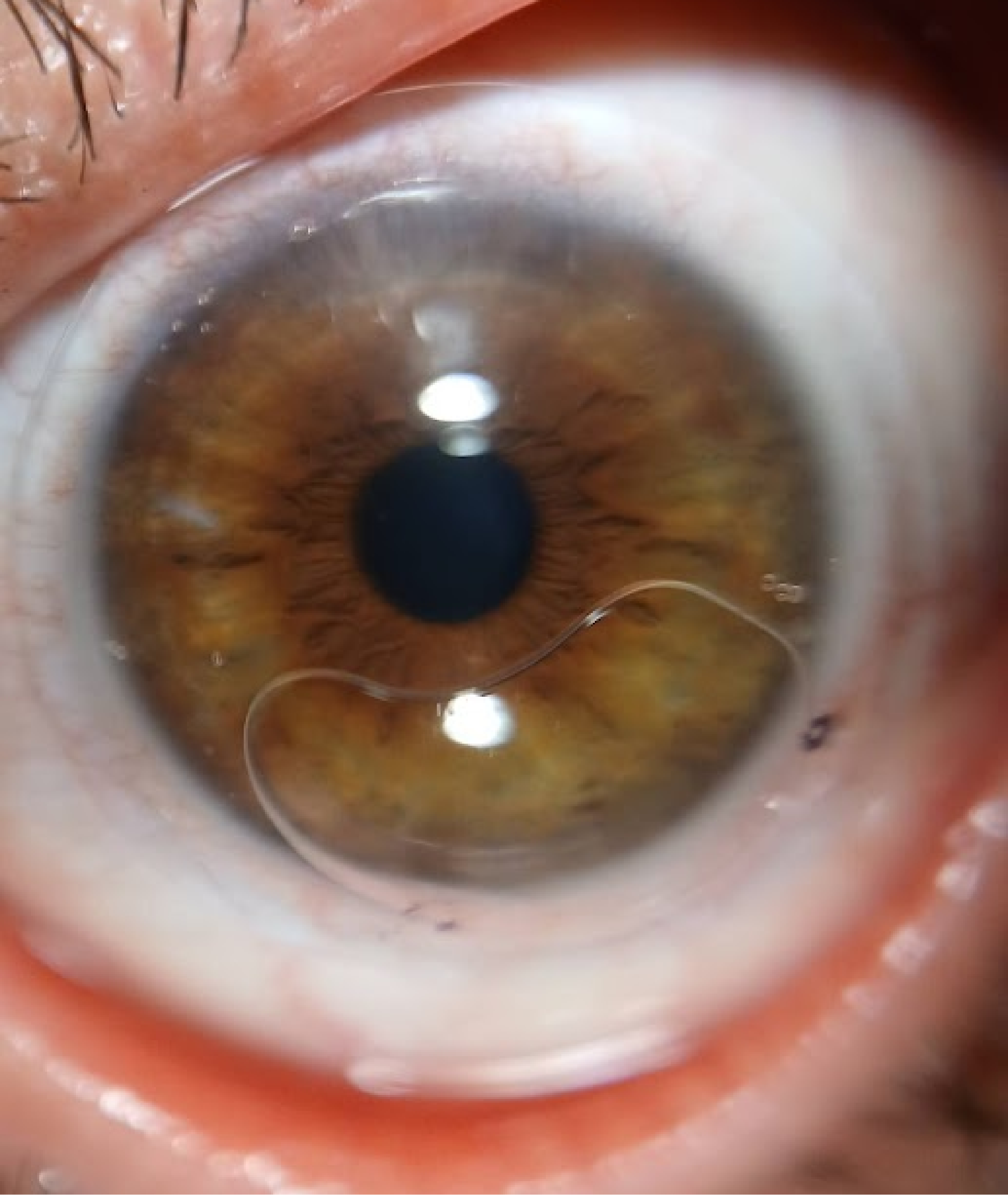
Three Steps in a Portable Scleral Fitting Documentation Workflow
1. Attach AnterVue to smartphone or tablet per kit instructions.
2. Capture after fluorescein instillation during fitting review—still images of vault, edge, and any visible bubbles or conjunctival response.
3. Review with the patient on screen; store per your clinic policy for visit-to-visit comparison.
This workflow fits teams that already discuss fluorescein patterns at the slit lamp but want a shareable visual record for education, training, and longitudinal review.
From Visible Findings to Better Conversations
Across these four scenarios, the practical takeaway is consistent: scleral lens care benefits from clear, repeatable anterior segment documentation—especially when the ocular surface is complex, the cornea is irregular, or the eye has surgical history.
AnterVue is designed to support that step in pre-test or chairside flow. It may help contact lens practitioners document visible fitting patterns, explain observations on screen, and compare findings across follow-up visits—while clinical judgment about vault, edge lift, bearing, and lens parameters stays with you.
Explore AnterVue at www.visuscience.com
Request a demo or starter evaluation through your regional VisuScience distributor or email info@visuscience.com .


